Transition
Animated Transition
Works with all apps and platforms



Everything you need to launch a polished stream setup.
Animated Transition
OBS Studio , Streamlabs Desktop , StreamElements , Meld Studio
Upgrade your stream instantly with SynthCity Stream Transition – fully animated, easy to install, and 100% compatible with OBS Studio, Streamlabs Desktop, and StreamElements.
All designs have full compatibility with Streamlabs Desktop
and StreamElements.
The past is here once again! ✨
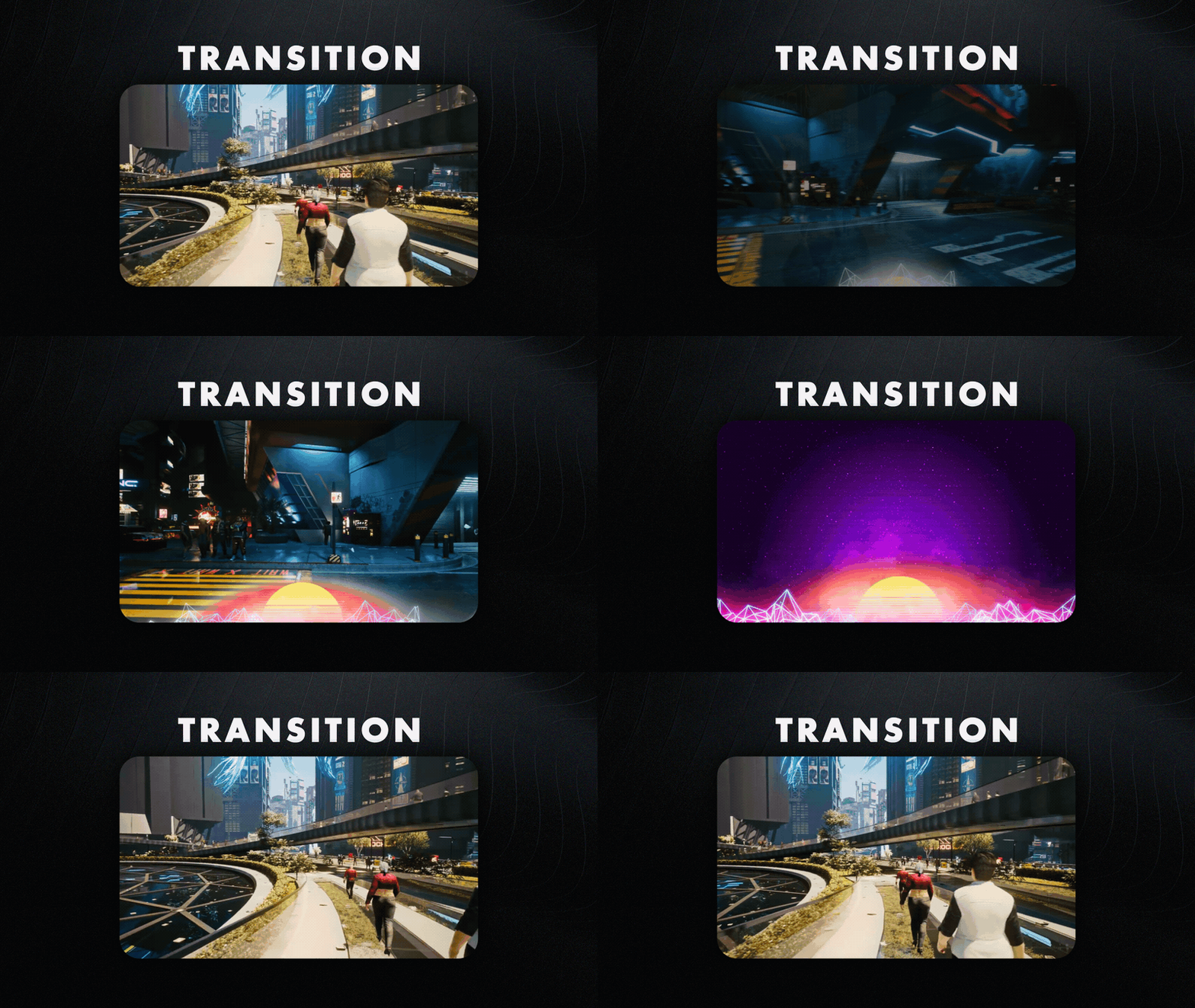
Time travel with us and let's go back to the 80's with our striking SynthCity Stream Transition!
This product is part of our SynthCity Stream Package. You can see all the animations and information about it below!
Embrace the synthwave! A color palette that includes a vibrant purple and pink colors tied to amazing neon effects and a classical aesthetic! Perfect for those who want nothing but good vibes ✌️
On our animated transition, you'll witness the sun take over your screen and a glitch effect take you and your viewers to the next scene in your stream!
Meant for:
Works perfectly with:
This package contains:
Yes. StreamSpell transitions are made for apps that support custom video or stinger transitions, including OBS Studio, Streamlabs Desktop, StreamElements, and similar streaming apps.
Open the transitions or stinger transition settings in your streaming app, then choose or import the included transition file. The exact menu name may vary depending on the app you use.
No. Stream transitions are delivered as finished animated files and are not designed for color editing unless the product details specifically say editable source files are included.
Yes. The transition works with your streaming software, so you can use it while streaming on Twitch, YouTube, Kick, Facebook, and other platforms.
The download includes the stream transition file and any setup instructions listed in the product details. Exact contents may vary by product.
No. This is a digital download. After purchase, you receive access to the files online.