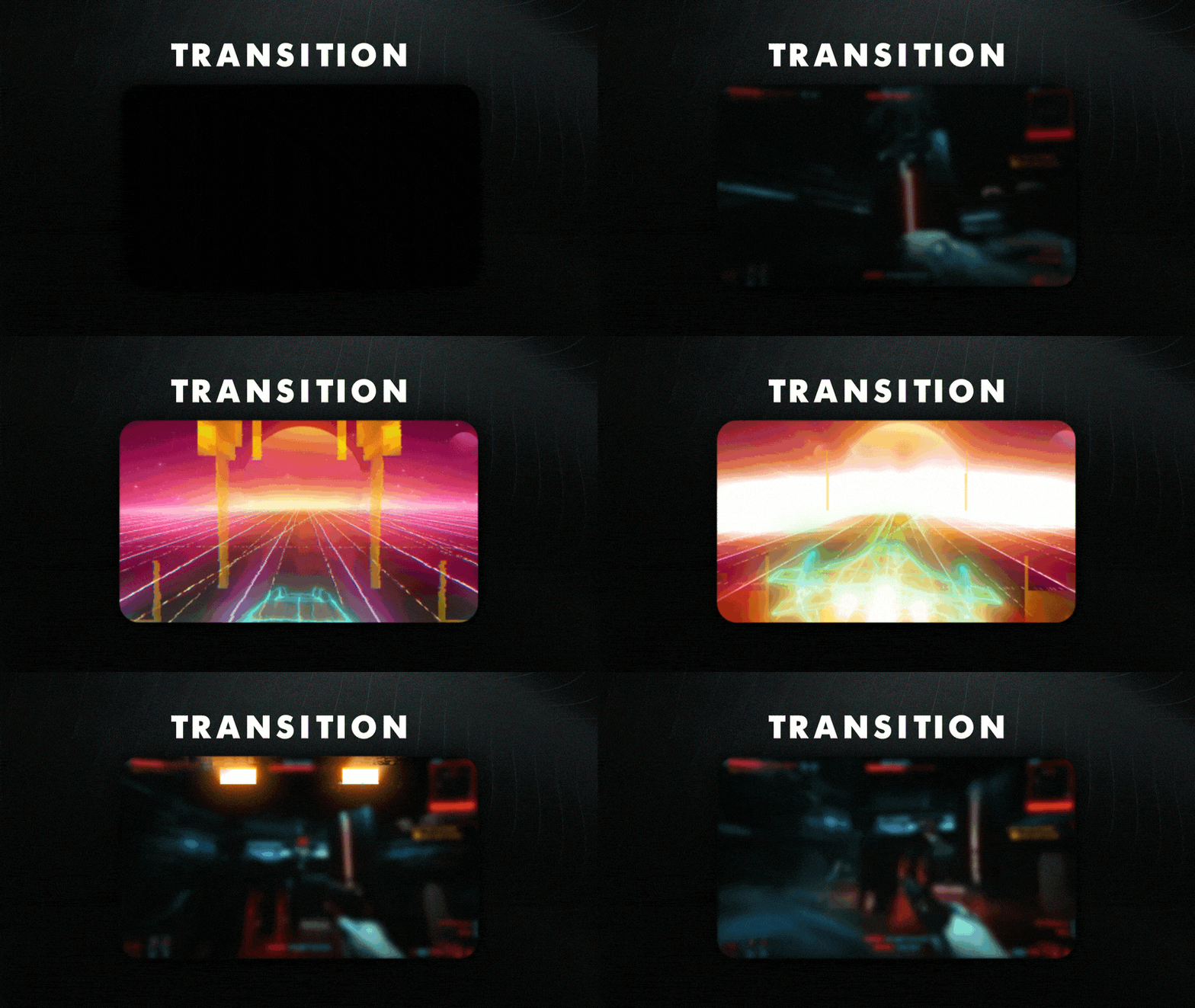
Transition
Animated Transition
Works with all apps and platforms



Everything you need to launch a polished stream setup.
Animated Transition
OBS Studio , Streamlabs Desktop , StreamElements , Meld Studio
Upgrade your stream instantly with Retro Galaxy Stream Transition – fully animated, easy to install, and 100% compatible with OBS Studio, Streamlabs Desktop, and StreamElements.
All designs have full compatibility with Streamlabs Desktop and StreamElements.
Transcend the ordinary! ✨
Step into a cosmic time capsule with our Retro Galaxy Stream Transition!
Dive headfirst into a mesmerizing world of vibrant hues and neon nostalgia, where the essence of the '80s meets the limitless possibilities of streaming.
This product is part of our Retro Galaxy Stream Package. You can see all the animations and information below!
Each screen is a portal to the retro-futuristic dreamscape, adorned with electrifying synthwave visuals that whisk you away to a bygone era of pixelated stars, streaks of neon, and sunsets that pulse with endless energy.
Watch out for our animated transition! Elevate your stream with retro flair as glitch effects and sleek aircraft seamlessly pilot you to the next scene in style.
If you're Discord and stay tuned for new free overlay rotations every week! Meant for: Works perfectly with: This package contains:
This is our humble way of thanking streamers on Twitch, YouTube, Facebook, Trovo, Kick and other platforms for supporting our team over the years.
Yes. StreamSpell transitions are made for apps that support custom video or stinger transitions, including OBS Studio, Streamlabs Desktop, StreamElements, and similar streaming apps.
Open the transitions or stinger transition settings in your streaming app, then choose or import the included transition file. The exact menu name may vary depending on the app you use.
No. Stream transitions are delivered as finished animated files and are not designed for color editing unless the product details specifically say editable source files are included.
Yes. The transition works with your streaming software, so you can use it while streaming on Twitch, YouTube, Kick, Facebook, and other platforms.
The download includes the stream transition file and any setup instructions listed in the product details. Exact contents may vary by product.
No. This is a digital download. After purchase, you receive access to the files online.