iCUE Widget File
.icuewidget file included
Everything you need to launch a polished stream setup.
.icuewidget file included
XENEON EDGE
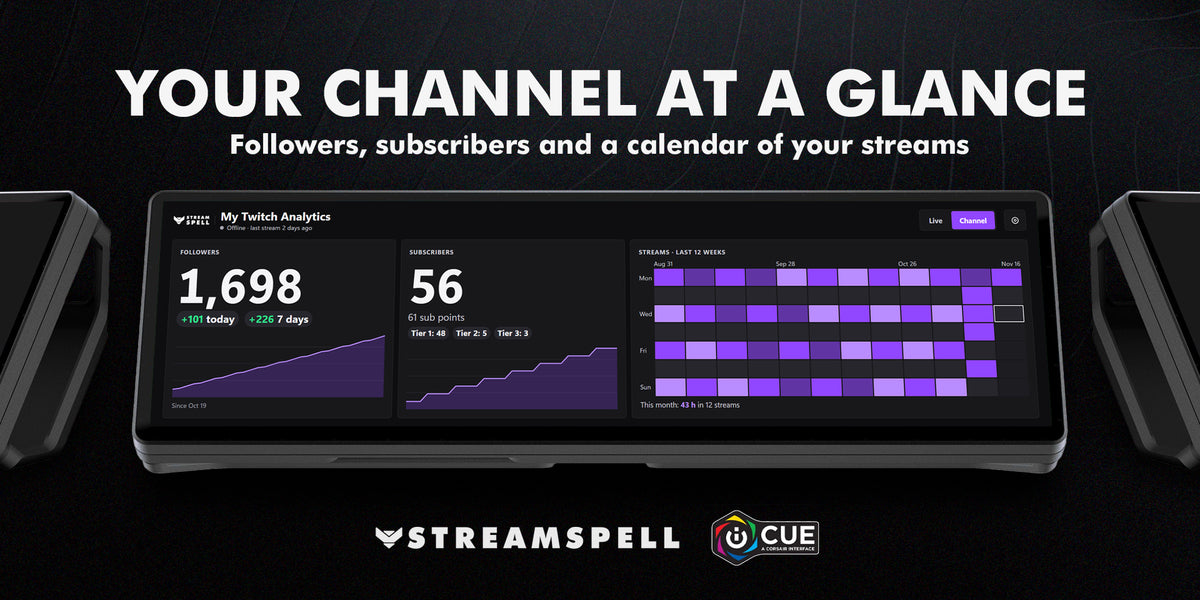
Your Twitch numbers, live on your XENEON EDGE. See your viewers while you stream, compare your streams and follow your channel grow, without opening a browser.
While you stream
After you stream
Your channel
Made for every XENEON EDGE size
Setup
Nothing to install. Tap Log In with Twitch on the widget, enter the code on twitch.tv/activate and approve. The widget only reads your numbers; it can't change anything on your channel.
The viewer curves and stream history are recorded by the widget while it runs, so keep it open while you stream.
Compatibility: Windows, CORSAIR iCUE 5.47 or newer and XENEON EDGE.
Your Twitch login and history stay on your PC. See the StreamSpell Privacy Policy.
My Twitch Analytics is an unofficial product by StreamSpell and is not associated with Twitch Interactive, Inc. Twitch is a trademark of Twitch Interactive, Inc.
Download the .icuewidget file, double-click it, and follow the installation prompts in CORSAIR iCUE. Then follow any setup instructions shown by the widget.
Open this widget's Settings in CORSAIR iCUE to see and adjust the customization options available for that widget.
This widget is designed for the CORSAIR XENEON EDGE.
Join the StreamSpell Discord to get help directly from our team.