iCUE Widget File
.icuewidget file included
Everything you need to launch a polished stream setup.
.icuewidget file included
XENEON EDGE
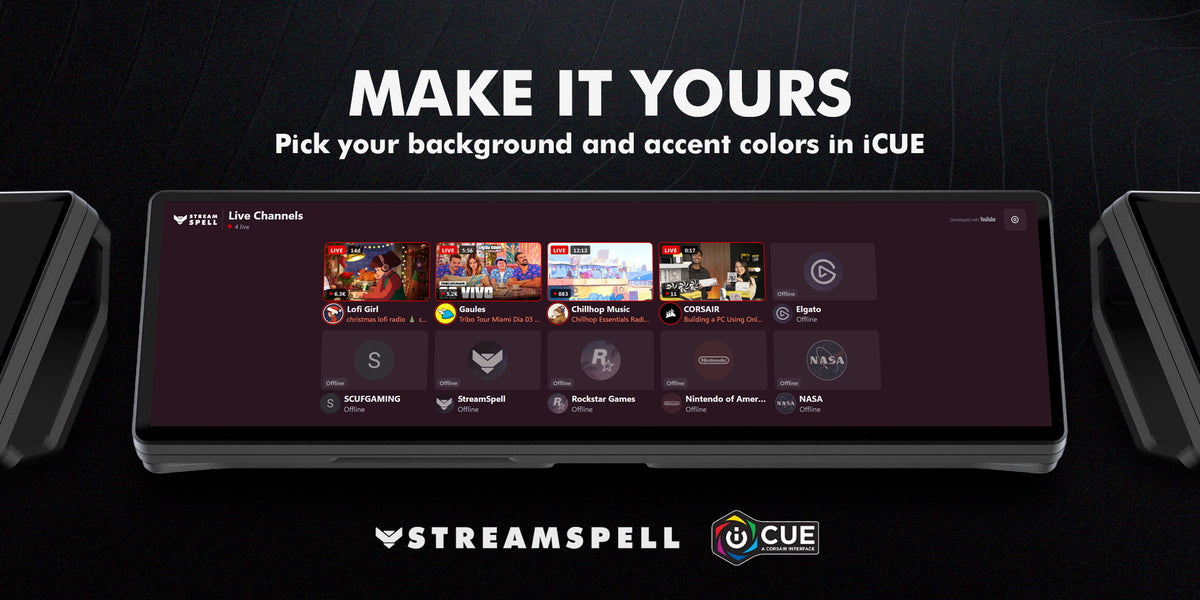
Know who is live on YouTube at a glance. Your favorite YouTube channels on your XENEON EDGE, with the live picture, the stream title and how many people are watching, and one tap to watch.
Live now
Made for every XENEON EDGE size
Setup
Nothing to install and no account needed. Paste the YouTube channel links (like youtube.com/@name) in the widget settings in iCUE.
Compatibility: Windows, CORSAIR iCUE 5.47 or newer and XENEON EDGE.
Live Channels uses YouTube API Services. By using it you agree to the YouTube Terms of Service; see the Google Privacy Policy and the StreamSpell Privacy Policy.
Live Channels is an unofficial product by StreamSpell and is not associated with YouTube or Google. YouTube is a trademark of Google LLC.
Download the .icuewidget file, double-click it, and follow the installation prompts in CORSAIR iCUE. Then follow any setup instructions shown by the widget.
Open this widget's Settings in CORSAIR iCUE to see and adjust the customization options available for that widget.
This widget is designed for the CORSAIR XENEON EDGE.
Join the StreamSpell Discord to get help directly from our team.