Compatible Devices
XENEON EDGE
Everything you need to launch a polished stream setup.
XENEON EDGE
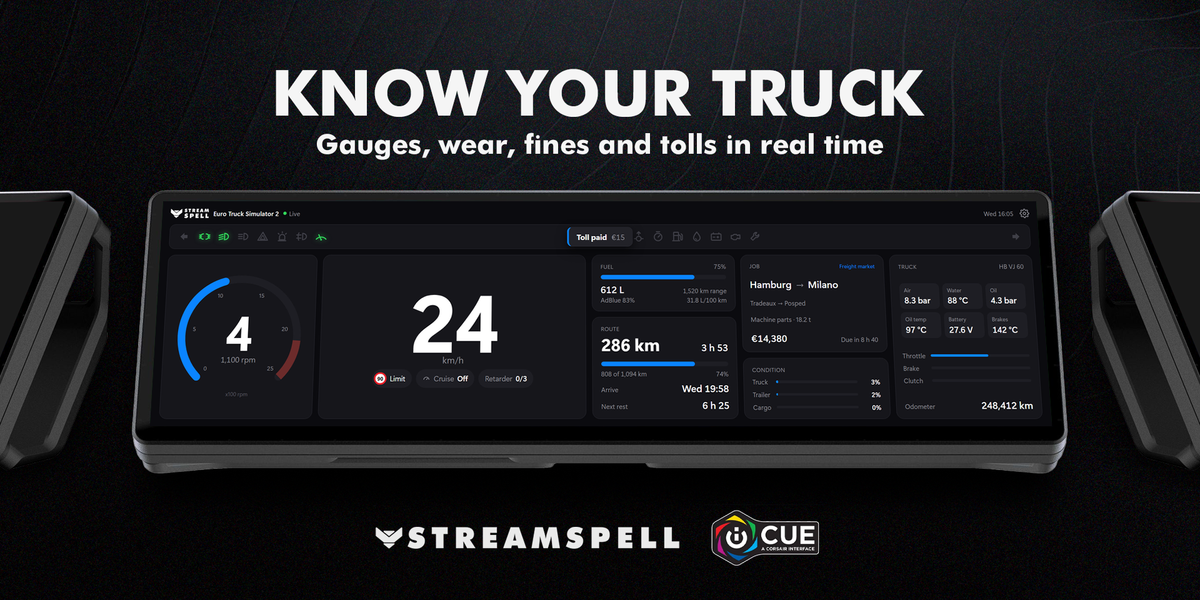
Turn your XENEON EDGE into a live dashboard for Euro Truck Simulator 2. See your truck, your route and your job at a glance while you drive.
Drive
Route and job
Your truck
Made for every XENEON EDGE size
Setup
The widget guides you through a one-time setup: download the game connection, put the file from the zip in the game's plugins folder and start the game. No extra app runs in the background.
Compatibility: Windows, CORSAIR iCUE 5.52 or newer, XENEON EDGE and Euro Truck Simulator 2 (64-bit).
Euro Truck Simulator 2 is a trademark of SCS Software. StreamSpell is not affiliated with or endorsed by SCS Software.
Download the .icuewidget file, double-click it, and follow the installation prompts in CORSAIR iCUE. Then follow any setup instructions shown by the widget.
Open this widget's Settings in CORSAIR iCUE to see and adjust the customization options available for that widget.
This widget is designed for the CORSAIR XENEON EDGE.
Join the StreamSpell Discord to get help directly from our team.