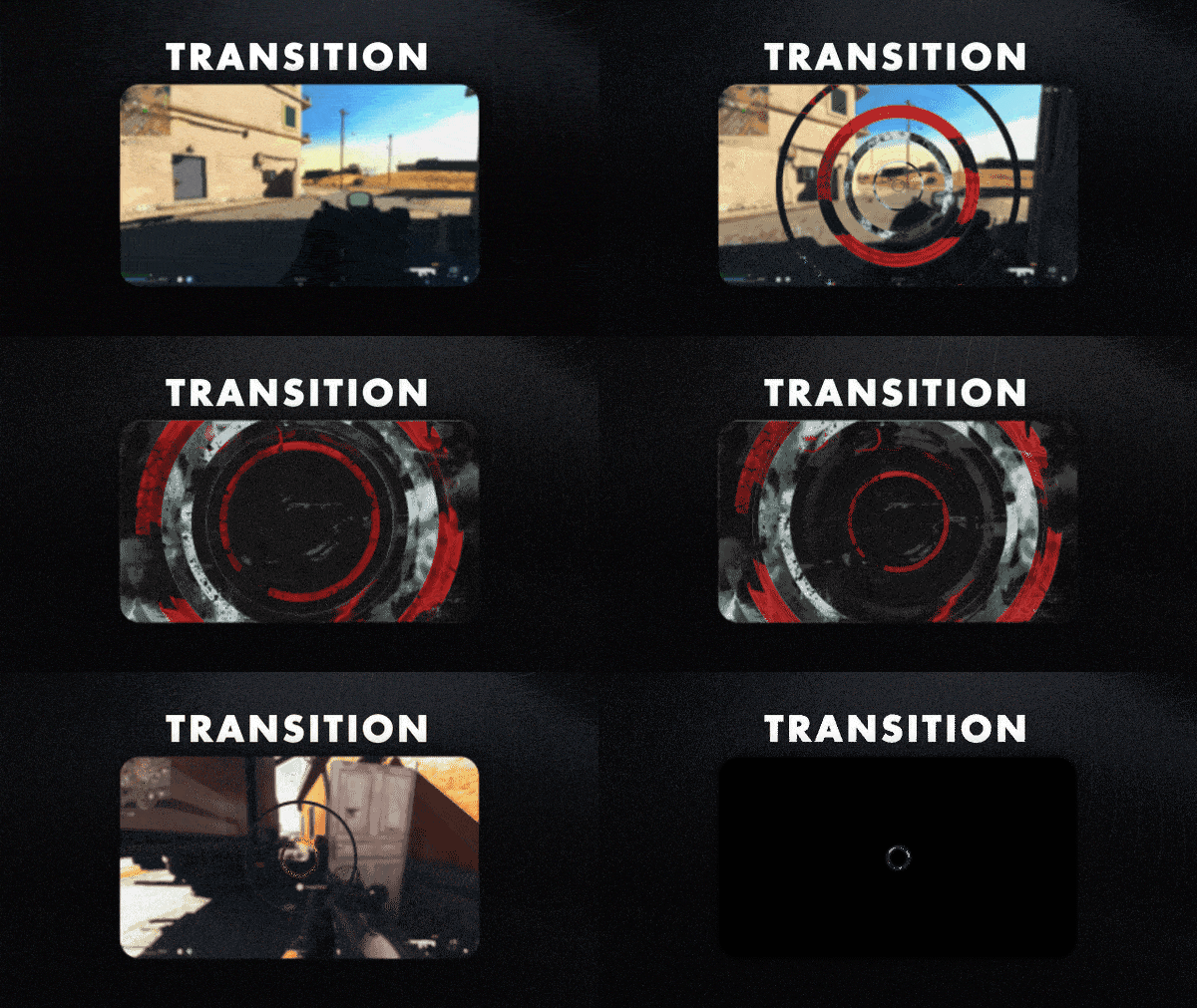
Transition
Animated Transition
Works with all apps and platforms



Everything you need to launch a polished stream setup.
Animated Transition
OBS Studio , Streamlabs Desktop , StreamElements , Meld Studio
Upgrade your stream instantly with Dark Strike Stream Transition – fully animated, easy to install, and 100% compatible with OBS Studio, Streamlabs Desktop, and StreamElements.
All designs have full compatibility with Streamlabs Desktop and StreamElements.
◾▪️ ! ▪️◾
Behold the finest array of stream overlays tailored for devotees of Dark Strike and its realm: Dark Strike Stream Package!
This product is part of our Dark Strike Stream Package. You can see all the animations and information below!
The red, grunge and street screens become their viewfinders, while the content metamorphoses into a work of art against the stylish backdrop of the streets. It's a universe where the boundaries between the digital and the tangible dissolve, giving rise to a dreamlike landscape impregnated with animations.
Meant for:
Works perfectly with:
This package contains:
Yes. StreamSpell transitions are made for apps that support custom video or stinger transitions, including OBS Studio, Streamlabs Desktop, StreamElements, and similar streaming apps.
Open the transitions or stinger transition settings in your streaming app, then choose or import the included transition file. The exact menu name may vary depending on the app you use.
No. Stream transitions are delivered as finished animated files and are not designed for color editing unless the product details specifically say editable source files are included.
Yes. The transition works with your streaming software, so you can use it while streaming on Twitch, YouTube, Kick, Facebook, and other platforms.
The download includes the stream transition file and any setup instructions listed in the product details. Exact contents may vary by product.
No. This is a digital download. After purchase, you receive access to the files online.