Screens
Animated: 4 Horizontal, 4 Vertical
Starting Soon , Be Right Back , Ending , Just Chatting
Offline screen included
Works with all apps and platforms




.svg)



Everything you need to launch a polished stream setup.
Animated: 4 Horizontal, 4 Vertical
Starting Soon , Be Right Back , Ending , Just Chatting
Offline screen included
12 Animated Alerts
Twitch, YouTube, Facebook, Kick
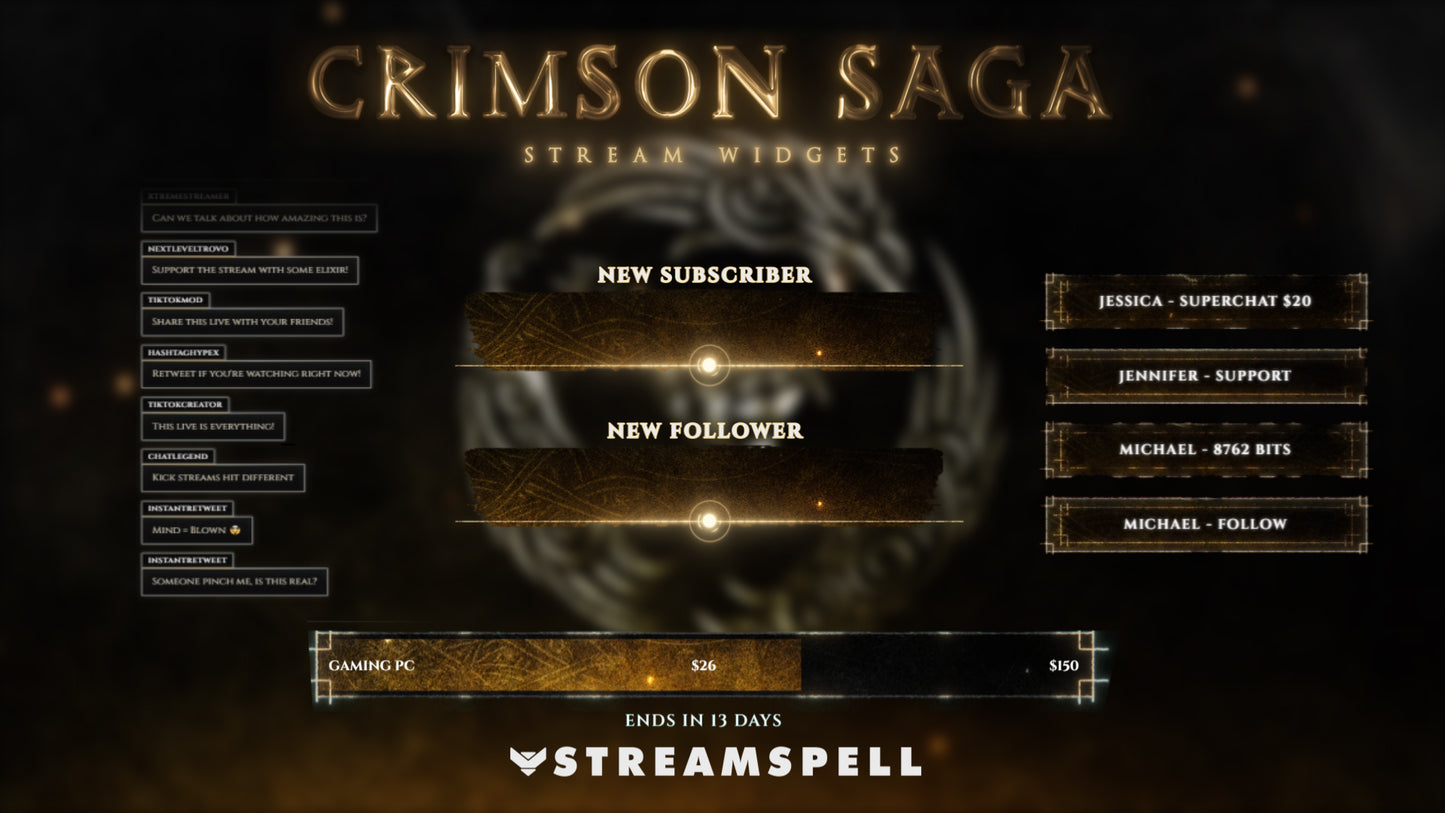
3 Stream Widgets
1 Webcam Overlay
Ratios: 16:9
Event Slot
Animated Transition
Step-by-step setup included
The Saga begins. Enter the Realm.
Step into a brutal and immersive dark fantasy RPG world with the Crimson Saga Stream Package, a fully animated streaming setup inspired by medieval warfare, ancient runes, and mythic Nordic aesthetics.
Built around a cinematic and atmospheric visual identity, this package delivers ornate golden emblems, glowing runic symbols, ember particles, and high contrast lighting, transforming your stream into a legendary battlefield where every moment feels like part of an epic saga.
Perfect for RPGs, open-world adventures, and medieval combat games, Crimson Saga turns your stream into a powerful storytelling experience where every scene feels ancient, intense, and forged in fire.
● Setup Tutorials: step-by-step installation for OBS Studio & Streamlabs Desktop
● 8 Animated Screens (Horizontal + Vertical): Starting Soon, Be Right Back, Stream Ending, Just Chatting
● 1 Offline Screen
● Animated Webcam Frame (16:9)
● Stream Widgets: Chat Box, Event List, Goal Bar
● 14 Animated Alerts: With cinematic rune effects, ember particles, and impact sound design
● Animated Stinger Transition
● Modular Stream Labels & Icons: Followers, Subscribers, Donations and more!
Yes. StreamSpell stream packages are made for OBS Studio, Streamlabs Desktop, StreamElements, and other streaming apps that support custom media sources, overlays, alerts, and widgets.
The download includes the files and setup assets you need to add the package to your stream. Streamlabs users can use the included quick install file. Other apps can be set up manually by adding the included screens, overlays, alerts, widgets, and transition files.
You can easily change colors of any stream overlay by right clicking the overlay's source, clicking on Filters and then adding a Color Correction filter.
Yes. The stream assets are platform-friendly and can be used while streaming on Twitch, YouTube, Kick, Facebook, TikTok, Instagram, and other platforms, as long as your streaming app supports the included media and widget setup.
The package includes the stream assets listed in the “What’s Included” section, such as screens, overlays, alerts, widgets, transitions, setup files, and guides when available.