Screens
Animated: 4 Horizontal, 4 Vertical
Starting Soon , Be Right Back , Ending , Just Chatting
Offline screen included
Works with all apps and platforms




.svg)



Everything you need to launch a polished stream setup.
Animated: 4 Horizontal, 4 Vertical
Starting Soon , Be Right Back , Ending , Just Chatting
Offline screen included
12 Animated Alerts
Twitch, YouTube, Facebook, Kick
1 Webcam Overlay
Ratios: 16:9
Event Slot
Animated Transition
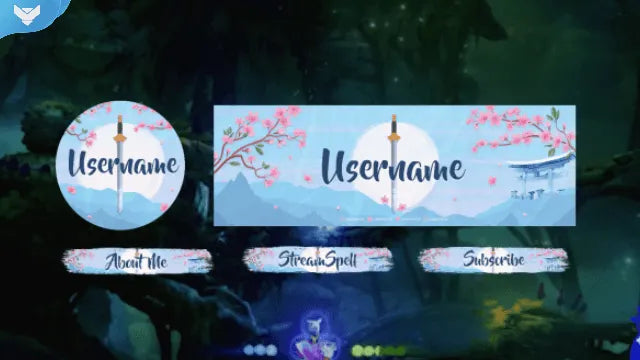
Profile Picture, Banners, Stream Panels
PSD Source Files, Fonts, Icons
Step-by-step setup included
Blossom with strength and elegance 🌸
The Bravery Stream Package brings a powerful and feminine energy to your stream setup. Inspired by Mulan and the grace of women warriors, this design blends snowy landscapes, cherry petals, and animated swords to deliver both beauty and strength on screen.
Perfect for creators who want a stream aesthetic that’s delicate, fierce, and visually impactful — ideal for storytelling games, RPGs, cozy chats, or IRL content.
Available in both animated and static versions for maximum flexibility.
🎁What’s Included:
4 Animated Screens – Starting, BRB, Ending, Just Chatting
1 Offline Screen
1 Live Now Screen
12 Animated Alerts – With sound effects for Twitch, YouTube, and Facebook Gaming
3 Webcam Overlays – 16:9, 4:3, 9:16 (vertical-ready)
Modular Stream Labels – Custom icons for events like follows, donations, and subs
43 Stream Panels – Includes PSD for editing
Animated Stinger Transition – Featuring cherry blossom animation
Social Media Kit – Headers + Profile Pic for Twitch, YouTube, X (Twitter), Facebook
Source Files – PSDs + After Effects file for editing text animations
Font – Included for quick edits
Setup Tutorials – Step-by-step install guides
🌸Meant for streamers on:
Twitch
YouTube
Facebook Gaming
Trovo
Kick
Any other streaming platform
🌸Works perfectly with:
OBS Studio
Streamlabs Desktop
StreamElements
Lightstream
XSplit
And all major streaming tools
🌸 Add a touch of courage and beauty to your stream with the Bravery Stream Package.
Yes. StreamSpell stream packages are made for OBS Studio, Streamlabs Desktop, StreamElements, and other streaming apps that support custom media sources, overlays, alerts, and widgets.
The download includes the files and setup assets you need to add the package to your stream. Streamlabs users can use the included quick install file. Other apps can be set up manually by adding the included screens, overlays, alerts, widgets, and transition files.
You can easily change colors of any stream overlay by right clicking the overlay's source, clicking on Filters and then adding a Color Correction filter.
Yes. The stream assets are platform-friendly and can be used while streaming on Twitch, YouTube, Kick, Facebook, TikTok, Instagram, and other platforms, as long as your streaming app supports the included media and widget setup.
The package includes the stream assets listed in the “What’s Included” section, such as screens, overlays, alerts, widgets, transitions, setup files, and guides when available.