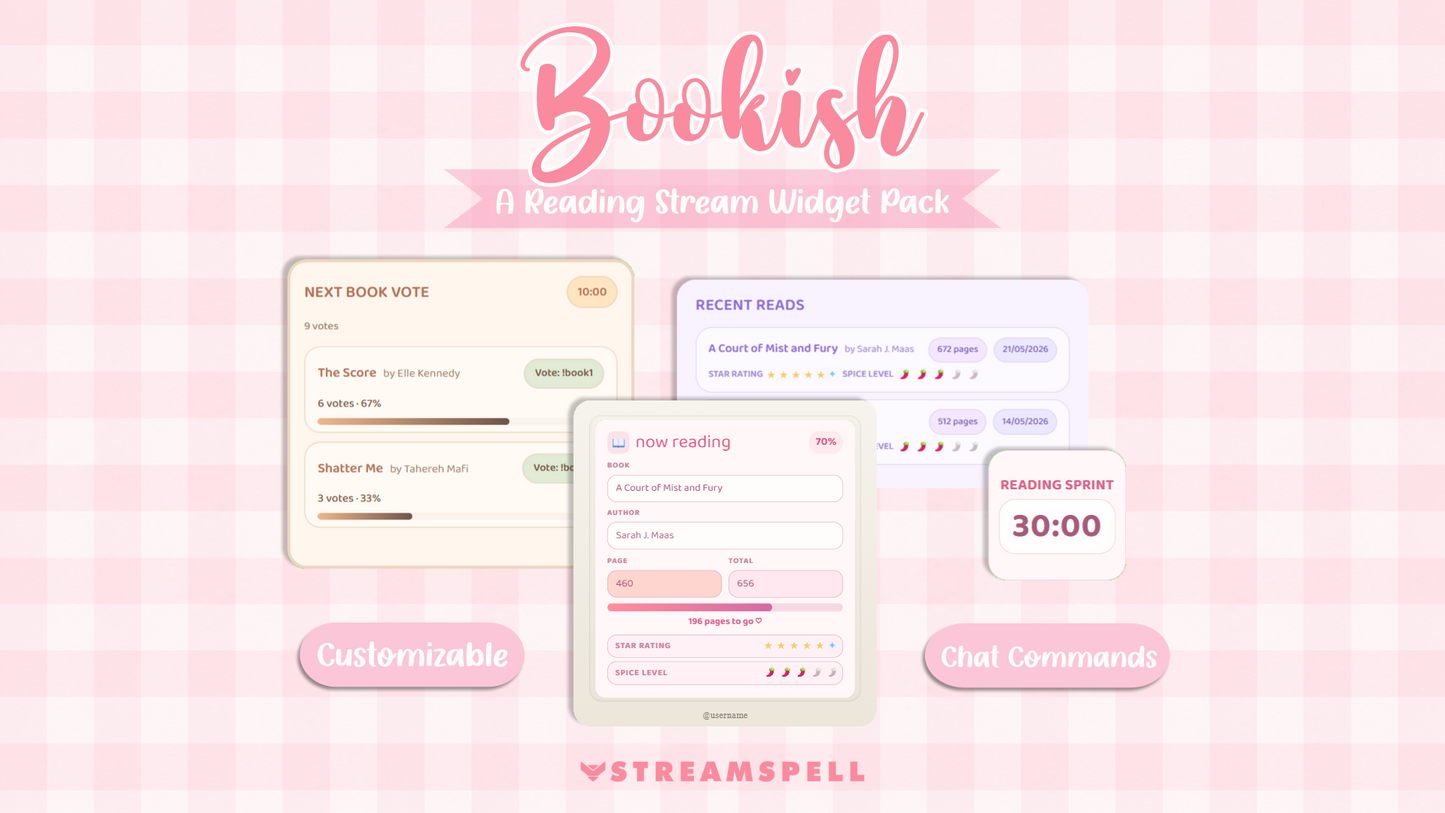
Stream Widgets
Now Reading , Read Shelf , Next Book Vote , Reading Sprint
Works with all apps and platforms




.svg)



Turn your reading stream into an interactive space for books, community, and cozy reading sessions with the Bookish Widget Pack by StreamSpell.
Created for book streamers, avid readers, BookTok creators, BookTubers, literary content creators, online book clubs, and book lovers, this premium pack includes four customizable widgets designed to make reading streams more polished, organized, and engaging.
Display your current read, track your reading progress, showcase finished books, host reading sprints, and let your Twitch community vote for your next book directly from the chat.
Each widget is added to OBS through a Browser Source URL and can be customized to match your bookish aesthetic. Adjust colors, fonts, borders, corner radius, glow, shapes, sizes, and other visual details, or start quickly with ready-made color palettes inspired by cozy libraries, romance books, fantasy worlds, and reading communities.
Now Reading Widget: Display your current book, author, page count, reading progress, star rating, and spice level during your stream.
Read Shelf Widget: Showcase your completed books on an elegant and customizable virtual bookshelf.
Next Book Vote Widget: Let your Twitch chat vote for your next read using chat commands, with the winning book clearly highlighted.
Reading Sprint Timer: Host focused reading sprints with a customizable countdown timer that is easy for viewers to follow.
Twitch reading streams
BookTok and BookTube creators
Cozy reading sessions
Readathons and reading challenges
Online book clubs
Reading sprints and productivity streams
Romance, fantasy, thriller, and general book communities
Created specifically for readers, book lovers, and literary content creators
Cozy, delicate, and highly customizable book-themed designs
Ready-made color palettes for faster setup
Manual customization for colors, fonts, borders, glow, shapes, and sizes
Twitch chat command integration for interactive reading streams
Stream-friendly layouts designed to remain readable without taking up unnecessary screen space
Easy setup through an OBS Browser Source URL
No coding required
Compatible with OBS Studio through a Browser Source
Twitch is currently supported for live chat commands and voting features
Widgets that do not require chat commands can still be used independently
This is a hosted digital product available through the StreamSpell Widgets platform
Build a cozy reading corner for your community, share your reading journey, track your progress, and turn every book stream into a more interactive experience with the Bookish Widget Pack.
The Bookish Widget Pack works with OBS Studio using Browser Sources. Other software that supports Browser Sources may also work, but OBS Studio is officially supported.
Yes. Interactive features such as Next Book Vote use Twitch chat commands. The remaining widgets work independently and can be used without chat interaction.
Yes. You can customize colors, fonts, borders, corner radius, glow, sizes, transparency, and other visual settings. You can also choose from ready-made color palettes.
The pack includes four widgets: Now Reading, Read Shelf, Next Book Vote, and Reading Sprint Timer.
No. Simply add each widget to OBS as a Browser Source and configure it through the included settings page.
Yes. Your Twitch viewers can vote through chat commands, and the widget automatically displays the current results and winning book.
Yes. The Now Reading widget lets you display your current book, author, page progress, total pages, star rating, and spice level.
Absolutely. Each widget works independently, so you can use only the ones you need.
Yes. Purchase once and use the widgets on your own streams. No subscription is required for the widget pack.
No. This is a hosted widget provided through the StreamSpell Widgets platform. After purchase, you'll receive access instructions and Browser Source URLs.
The widgets themselves can be displayed on any stream using OBS Studio. However, chat voting is currently supported only on Twitch.
Yes. Improvements and updates to the Bookish Widget Pack are included for existing customers whenever new features or enhancements are released.
Yes. You can use the widgets on your personal or monetized livestreams. Redistribution or resale of the widgets themselves is not permitted.