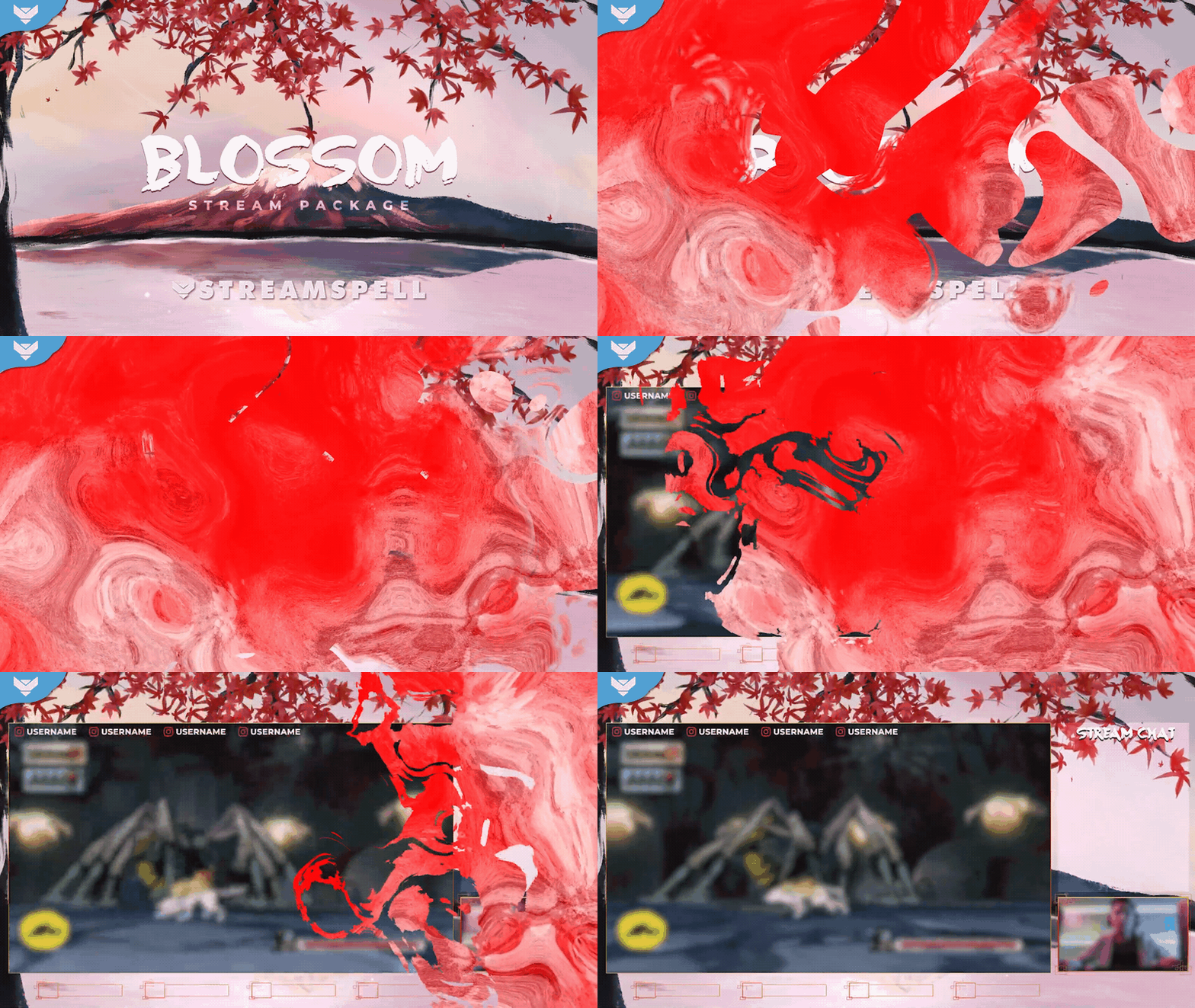
Screens
Animated: 4 Horizontal
Starting Soon , Be Right Back , Ending , Just Chatting
Offline screen included
Works with all apps and platforms




.svg)



Everything you need to launch a polished stream setup.
Animated: 4 Horizontal
Starting Soon , Be Right Back , Ending , Just Chatting
Offline screen included
12 Animated Alerts
Twitch, YouTube, Facebook, Kick
1 Webcam Overlay
Ratios: 16:9
Event Slot
Animated Transition
Profile Picture, Banners, Stream Panels
PSD Source Files, Fonts, Icons
Step-by-step setup included
Upgrade your stream instantly with Blossom Stream Package – fully animated, easy to install, and 100% compatible with OBS Studio, Streamlabs Desktop, and StreamElements.
All designs have full compatibility with Streamlabs OBS and StreamElements.
Life is too short to wait 🌸
Dive into Japanese culture with our fully illustrated Blossom Stream Package!
Standing as one of StreamSpell's Hall of Famers, this bundle was created to serve as a homage to Japan and all of its harmonious and inspiring life lessons.
The main background was created through a delicate process of digital painting and animated so the falling petals, lake, wind and sun ways could come to life altogether.
In order to step further into Japanese inspired designs, the webcam & overlays present on this package take advantage of elegantly detailed lines and shapes moving during the animation.
For the first time ever, we've included stream panels that work both on light & dark themes. If you happen to be using dark theme on your channel,
If you chose to switch scenes, you'll be surprised with striking tints of red & white, simulating actual paint dropping on top of your screen.
To help tie all the elements together, we added 2 Koi illustrations which will happily pop up as soon as a new event (i.e., new subscriber) is triggered, producing a beautiful and glowing water splash right before your eyes.
Meant for:
Works perfectly with:
This package contains:
Yes. StreamSpell stream packages are made for OBS Studio, Streamlabs Desktop, StreamElements, and other streaming apps that support custom media sources, overlays, alerts, and widgets.
The download includes the files and setup assets you need to add the package to your stream. Streamlabs users can use the included quick install file. Other apps can be set up manually by adding the included screens, overlays, alerts, widgets, and transition files.
You can easily change colors of any stream overlay by right clicking the overlay's source, clicking on Filters and then adding a Color Correction filter.
Yes. The stream assets are platform-friendly and can be used while streaming on Twitch, YouTube, Kick, Facebook, TikTok, Instagram, and other platforms, as long as your streaming app supports the included media and widget setup.
The package includes the stream assets listed in the “What’s Included” section, such as screens, overlays, alerts, widgets, transitions, setup files, and guides when available.