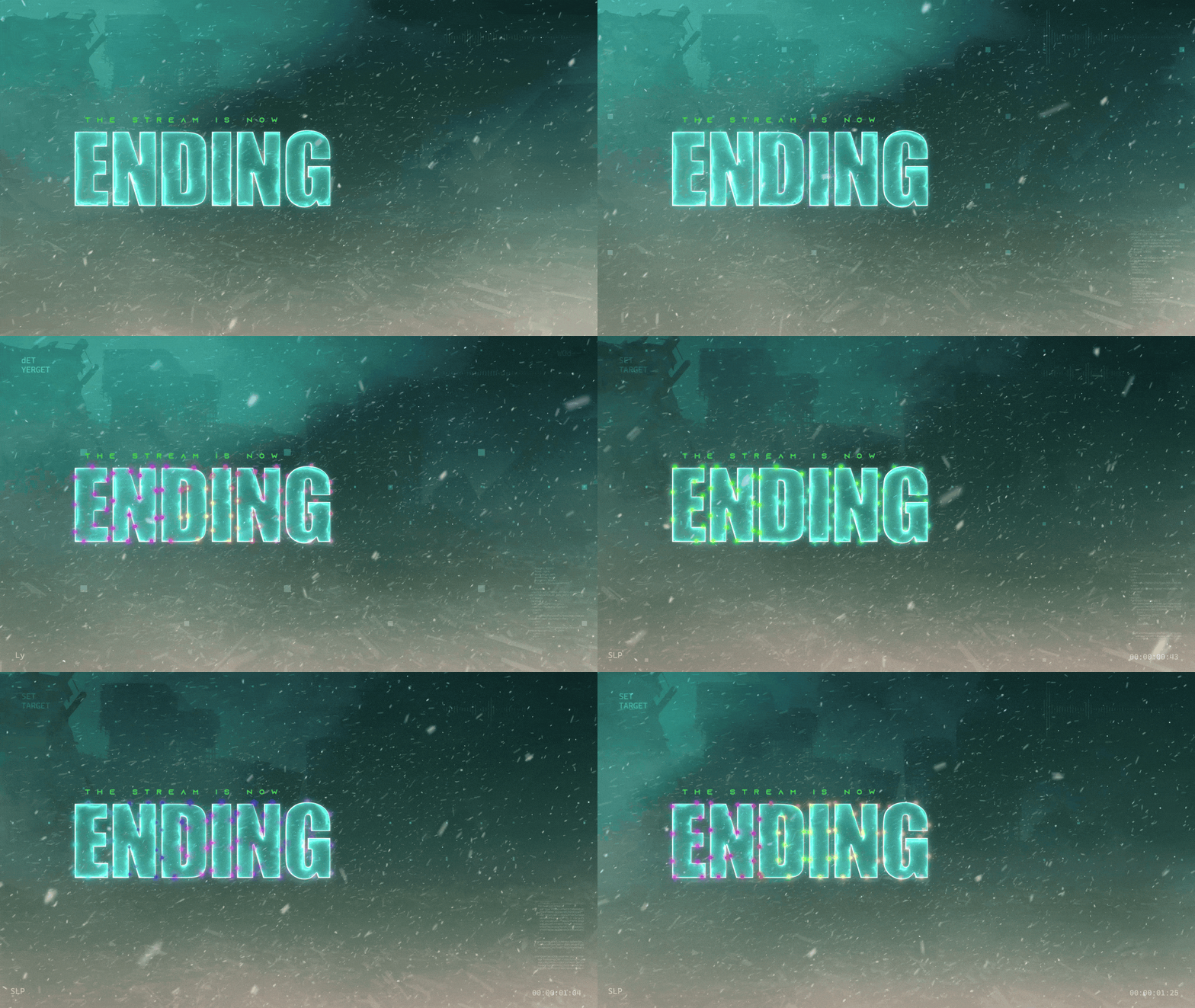
Screens
Animated: 4 Horizontal, 4 Vertical
Starting Soon , Be Right Back , Ending , Just Chatting
Offline screen included
Works with all apps and platforms




.svg)



Everything you need to launch a polished stream setup.
Animated: 4 Horizontal, 4 Vertical
Starting Soon , Be Right Back , Ending , Just Chatting
Offline screen included
12 Animated Alerts
Twitch, YouTube, Facebook, Kick
3 Stream Widgets
Chat Box , Event List , Goal Bar
1 Webcam Overlay
Ratios: 16:9 , 4:3 , 9:16
Event Slot
Animated Transition
Step-by-step setup included
Turn your stream into a high-stakes battlefield with the BF6 HUD Stream Package, inspired by Battlefield 6, packed with immersive visuals, modern HUD elements, and combat-ready effects.
Combat alerts? Check. Tactical goal bars? Check. Military-grade interface? Absolutely.
Fully compatible with OBS Studio, Streamlabs Desktop, and StreamElements. Easy install. Tactical style.
🆕Animated Screens: Starting, BRB, Just Chatting, Ending, and a background-only file. Now includes Winter and Christmas themed versions. All variations include vertical versions for multistreaming. You can also build your own layout!❄️🎄
🆕Reactive Overlays (Streamlabs Only): Kill Counter, Death Counter, WR Calculator (automatically tracks win rate per match) and K/D Ratio Overlay (real-time kills divided by deaths) included thanks to the new Streamlabs AI technology!
Static Offline Screen
Animated Stinger Transition
Webcam Overlays: multiple variations for different ratios, such as 16:9, 4:3, 9:16 and a minimalist bar for Chroma Key users.
Themed Stream Widgets:
- Chat Box with tactical UI styling
- Goal Bar HUD with real-time progress tracking
- Event List to showcase subs, follows, and more
- Alert Box with battlefield-style visuals and SFX
Modular Stream Labels: custom icons for follows, subs, and more
FPS streamers and tactical gaming content
Titles like Battlefield, Call of Duty, Escape from Tarkov, and more
Creators looking for a clean, modern, and high-tech visual experience
Twitch
YouTube
Facebook Gaming
Kick
Trovo
* Widgets can be used in OBS via Browser Source.
** Reactive Overlays are exclusive to Streamlabs Desktop.
Check out the BF6 HUD:
Lock. Load. Stream.
Yes. StreamSpell stream packages are made for OBS Studio, Streamlabs Desktop, StreamElements, and other streaming apps that support custom media sources, overlays, alerts, and widgets.
The download includes the files and setup assets you need to add the package to your stream. Streamlabs users can use the included quick install file. Other apps can be set up manually by adding the included screens, overlays, alerts, widgets, and transition files.
You can easily change colors of any stream overlay by right clicking the overlay's source, clicking on Filters and then adding a Color Correction filter.
Yes. The stream assets are platform-friendly and can be used while streaming on Twitch, YouTube, Kick, Facebook, TikTok, Instagram, and other platforms, as long as your streaming app supports the included media and widget setup.
The package includes the stream assets listed in the “What’s Included” section, such as screens, overlays, alerts, widgets, transitions, setup files, and guides when available.