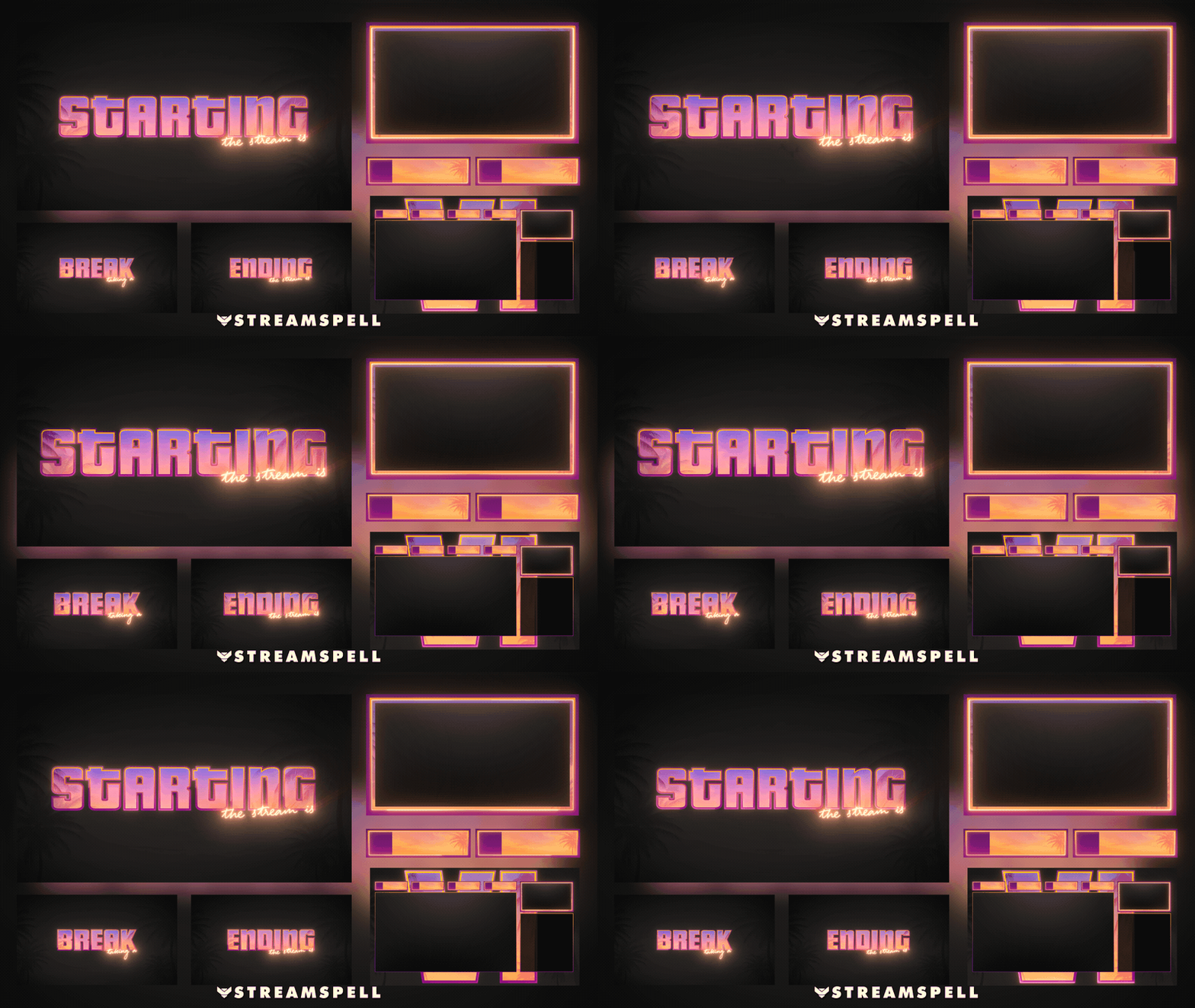
Screens
Animated: 4 Horizontal, 4 Vertical
Starting Soon , Be Right Back , Ending , Just Chatting
Offline screen included
Works with all apps and platforms




.svg)



Everything you need to launch a polished stream setup.
Animated: 4 Horizontal, 4 Vertical
Starting Soon , Be Right Back , Ending , Just Chatting
Offline screen included
12 Animated Alerts
Twitch, YouTube, Facebook, Kick
1 Webcam Overlay
Ratios: 16:9
Event Slot
Animated Transition
Step-by-step setup included
Upgrade your stream instantly with Six Vibes Stream Package – fully animated, easy to install, and 100% compatible with OBS Studio, Streamlabs Desktop, and StreamElements.
All designs have full compatibility with Streamlabs Desktop and StreamElements.
🌴 Feel the Six Vibes 🌴
Take your stream to the next level with the Six Vibes overlay, inspired by the vibrant world of GTA VI. Featuring a unique aesthetic that blends neon lights, tropical landscapes, and urban elements, this theme brings the energy and style of the game to your channel, creating an immersive and unforgettable atmosphere.
⚡This theme includes vertical Dual-Output support for multistreaming!
• One-click files: Simplify importing the package into your preferred
streaming software. Tailored for Streamlabs and OBS Studio.
• Animated Screens: Immerse your viewers with these Starting, BRB, and
Ending animated screens.
• Just Chatting Options: More alternatives for when you are live.
• Offline Screen: Provide an appealing experience when you’re not live.
• 12 Animated Alerts + sound effects: Ensure your audience never
misses a moment.
• 16:9 Webcam Frame: Your face cam will seamlessly blend with this
urban design.
• Modular Stream Labels: Showcase essential information elegantly with
these custom icons.
• Animated Stinger Transition: Transit between different scenes with a
explosive artistic animation.
Yes. StreamSpell stream packages are made for OBS Studio, Streamlabs Desktop, StreamElements, and other streaming apps that support custom media sources, overlays, alerts, and widgets.
The download includes the files and setup assets you need to add the package to your stream. Streamlabs users can use the included quick install file. Other apps can be set up manually by adding the included screens, overlays, alerts, widgets, and transition files.
You can easily change colors of any stream overlay by right clicking the overlay's source, clicking on Filters and then adding a Color Correction filter.
Yes. The stream assets are platform-friendly and can be used while streaming on Twitch, YouTube, Kick, Facebook, TikTok, Instagram, and other platforms, as long as your streaming app supports the included media and widget setup.
The package includes the stream assets listed in the “What’s Included” section, such as screens, overlays, alerts, widgets, transitions, setup files, and guides when available.