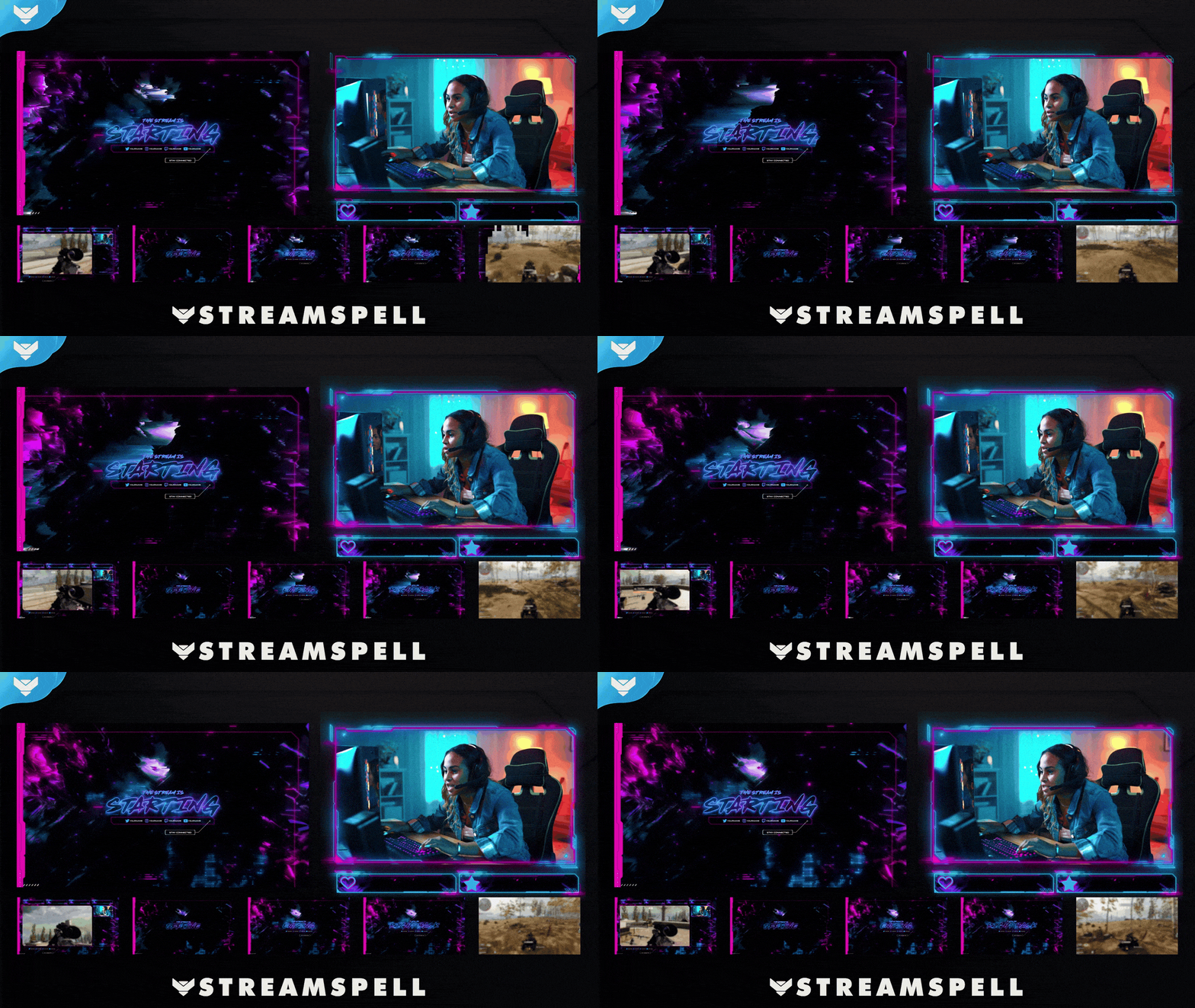
Screens
Animated: 4 Horizontal
Starting Soon , Be Right Back , Ending , Just Chatting
Offline screen included
Works with all apps and platforms




.svg)



Everything you need to launch a polished stream setup.
Animated: 4 Horizontal
Starting Soon , Be Right Back , Ending , Just Chatting
Offline screen included
12 Animated Alerts
Twitch, YouTube, Facebook, Kick
1 Webcam Overlay
Ratios: 16:9
Event Slot
Animated Transition
Profile Picture, Banners, Stream Panels
PSD Source Files, Fonts, Icons
Step-by-step setup included
Animated stream overlays for futuristic and cyberpunk-style streams.
Step into the neon-lit streets of your own stream city!
The Cyberpunk: Night City Stream Package is fully animated, easy to install, and 100% compatible with OBS Studio, Streamlabs Desktop, and StreamElements.
Designed for creators who love sci-fi, neon visuals, and dystopian aesthetics, this stream overlay pack is the perfect match for Cyberpunk 2077, Destiny 2, Observer, and other futuristic titles. It's also ideal for Just Chatting, tech content, or even cyberpunk-themed DJ streams.
The bold animations combine shades of purple, lilac, pink, and blue, bringing the electric glow of Night City directly to your stream screen.
<animated and non-animated, depending on your style and setup.Cyberpunk 2077
Destiny 2
Observer
Setup Tutorials
5 Animated Screens: Starting, BRB, Ending, Just Chatting (2 layouts)
1 Offline Screen
12 Animated Alerts with sound effects for Twitch, YouTube, and Facebook Gaming
Webcam Frame (16:9)
Modular Stream Labels Overlays with custom icons for each event
43 Stream Panels
Animated Stinger Transition
Social Media Headers: Twitch, Twitter, YouTube, Facebook
Social Media Profile Picture
Source Files (.PSD)
Font
Twitch
YouTube
Facebook Gaming
Trovo
Kick
OBS Studio
Streamlabs Desktop
StreamElements
Lightstream
XSplit
Plug into the future of stream design. The Cyberpunk: Night City Stream Package is your complete toolkit for creating a high-tech, neon-soaked stream layout that commands attention.
Yes. StreamSpell stream packages are made for OBS Studio, Streamlabs Desktop, StreamElements, and other streaming apps that support custom media sources, overlays, alerts, and widgets.
The download includes the files and setup assets you need to add the package to your stream. Streamlabs users can use the included quick install file. Other apps can be set up manually by adding the included screens, overlays, alerts, widgets, and transition files.
You can easily change colors of any stream overlay by right clicking the overlay's source, clicking on Filters and then adding a Color Correction filter.
Yes. The stream assets are platform-friendly and can be used while streaming on Twitch, YouTube, Kick, Facebook, TikTok, Instagram, and other platforms, as long as your streaming app supports the included media and widget setup.
The package includes the stream assets listed in the “What’s Included” section, such as screens, overlays, alerts, widgets, transitions, setup files, and guides when available.