What's Included

Everything you need to launch a polished stream setup.

Screens

Animated: 4 Horizontal, 4 Vertical

Starting Soon , Be Right Back , Ending , Just Chatting

Offline screen included

Alerts

11 Animated Alerts

Twitch, YouTube, Facebook, Kick

Overlays

1 Webcam Overlay

Ratios: 16:9

Event Slot

Animated Transition

Setup Guide

Step-by-step setup included

Overview

Upgrade your stream instantly with Dark Aura Stream Package – fully animated, easy to install, and 100% compatible with OBS Studio, Streamlabs Desktop, and StreamElements.

All designs have full compatibility with Streamlabs Desktop and StreamElements.

⚡️This theme includes vertical Dual-Output support for multistreaming!

Time to cause a strong impression. 🔥

The Dark Aura Stream Package is made for those who are

This stream package features Dual Output support, allowing you to easily use your graphics on other platforms!


Check out the full preview below!


Including a stunning selection of 12 alerts for ALL PLATFORMS!
Keep your viewers engaged during all important events of your stream! Stream alerts are the most crucial element to have on your broadcast. Check these out!


Webcam Overlay, Slots and Icons
Customize your facecam and display the names of your new followers, subs, donators and more!


Switch scenes with an awesome stinger transition for Streamlabs Desktop and OBS Studio!
This quick animation will play whenever you're going from one scene to another. It's one of the best ways of showing your commitment to your brand.


This stream package includes Dual-Output support!
Seamlessly show your new graphics on all platforms thanks to our Dual-Output integration! 👇


Multiple Stream Screens to use on Streamlabs Desktop, OBS Studio or anywhere else!
Properly setup a stage when your broadcast is just about to start, or when you're taking a break. Check these out!


Ready to make your stream more engaging?


Meant for:

  • Twitch
  • Youtube
  • Facebook Gaming
  • Trovo

Works perfectly with:

  • Streamlabs Desktop (includes Reactive Overlays, Dual-Output & Collab-Cam support)
  • StreamElements
  • OBS Studio
  • Lightstream
  • XSplit
  • and more!

This package contains:

  • Setup Tutorials - Step-by-step guides on how to install your graphics on OBS Studio & Streamlabs Desktop.
  • 8 Animated Screens - Starting, BRB, Ending, Just Chatting for horizontal and vertical outputs. These graphics help keep viewers engaging during any moment of your livestream.
  • 1 Offline Screen - An image that will be displayed on your stream channel when you're not broadcasting.
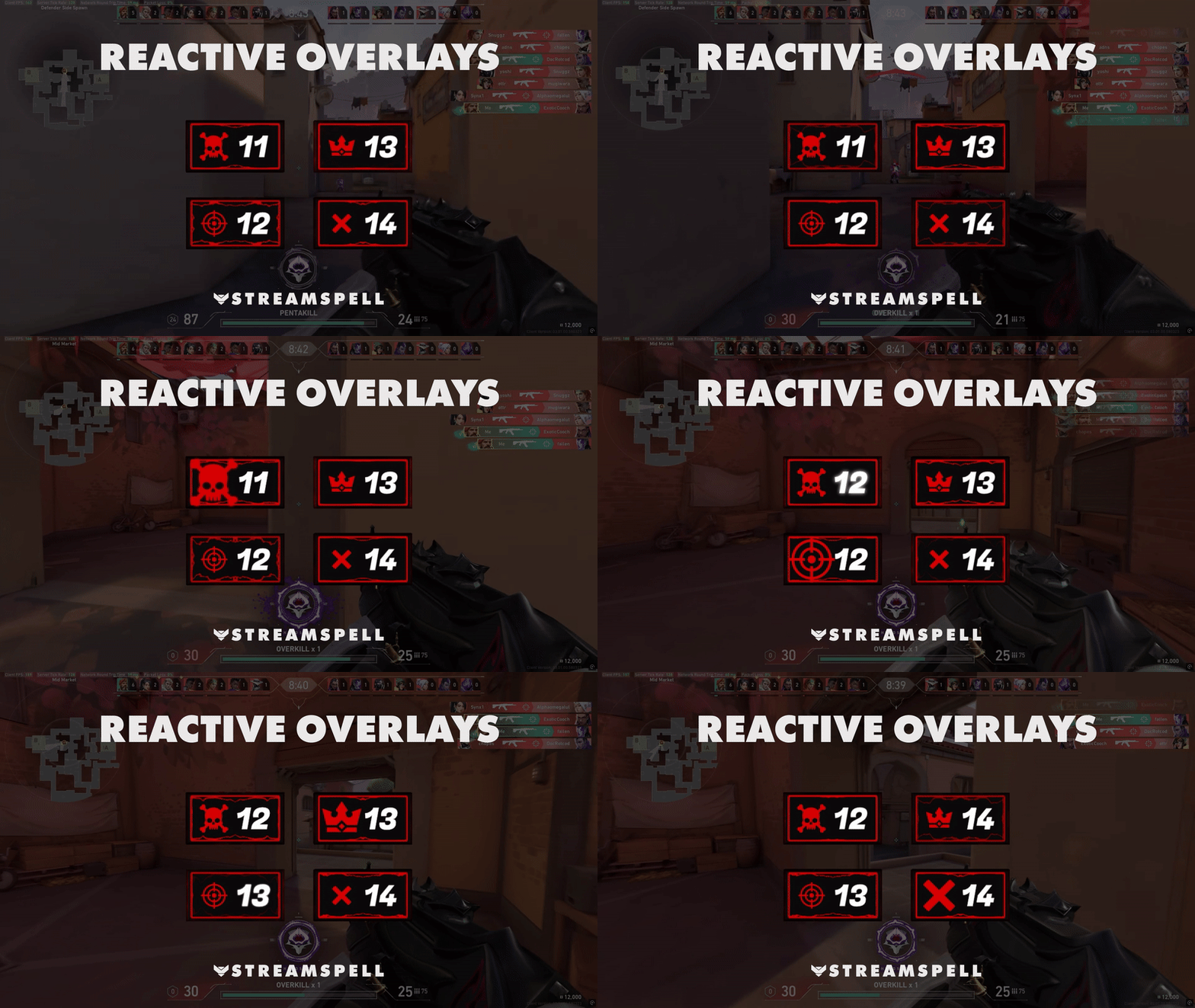
  • 🆕 Reactive Overlays (Streamlabs Only) Automated Kill, Win, Death, and Loss counters powered by Streamlabs AI technology, updating in real time without any manual input.
  • 12 Animated Alerts (with sound effects) - Twitch, Youtube and Facebook Gaming

  • Webcam Frame - 16:9. An animated overlay to use on top of your webcam output to give it a customized look.
  • Modular Stream Labels Overlays - animated slots that match the webcam frame animation, and custom icons for each event, such as Follows, Donations and Subscriptions.
  • Animated Stinger Transition - Quick animation that plays when you switch scenes.
  • Social Media Kit, including headers for Twitch, Facebook, YouTube and X and their respective .PSD files. Also includes 2 Profile Pictures.
  • 43 Stream Panels and Panel Template (.PSD), so you can easily create new panels whenever you want.

Reactive Overlays are supported only in the following games:

  • Apex Legends
  • Battlefield
  • Black Ops 6
  • Counter-Strike 2
  • Fortnite
  • League of Legends
  • Marvel Rivals
  • Overwatch 2
  • PUBG
  • Rainbow Six Siege
  • Valorant
  • War Thunder
  • Warzone
  • …and more gaming titles coming soon!

Frequently Asked Questions

Does this stream package work with OBS Studio?

Yes. StreamSpell stream packages are made for OBS Studio, Streamlabs Desktop, StreamElements, and other streaming apps that support custom media sources, overlays, alerts, and widgets.

How do I install this stream package?

The download includes the files and setup assets you need to add the package to your stream. Streamlabs users can use the included quick install file. Other apps can be set up manually by adding the included screens, overlays, alerts, widgets, and transition files.

Can I change the colors?

You can easily change colors of any stream overlay by right clicking the overlay's source, clicking on Filters and then adding a Color Correction filter.

Can I use this on Twitch, YouTube, Kick, TikTok, Instagram, or Facebook?

Yes. The stream assets are platform-friendly and can be used while streaming on Twitch, YouTube, Kick, Facebook, TikTok, Instagram, and other platforms, as long as your streaming app supports the included media and widget setup.

What is included in the download?

The package includes the stream assets listed in the “What’s Included” section, such as screens, overlays, alerts, widgets, transitions, setup files, and guides when available.

StreamSpell

Dark Aura Stream Package

Stream Package

Regular price $23.00 USD
Sale price $23.00 USD
Sale Sold out
Shipping calculated at checkout.
View full details

Details

Color
RedBlack
Compatibility
OBS StudioStreamlabs DesktopStreamElementsMeld Studio
Works with
TwitchYouTubeInstagramTikTokKickFacebook
File types
WEBMPNGJPG
License
Personal Use
Delivery
Instant Digital Download

