Screens
Animated: 4 Horizontal, 4 Vertical
Starting Soon , Be Right Back , Ending , Just Chatting
Offline screen included
Works with all apps and platforms




.svg)



Everything you need to launch a polished stream setup.
Animated: 4 Horizontal, 4 Vertical
Starting Soon , Be Right Back , Ending , Just Chatting
Offline screen included
12 Animated Alerts
Twitch, YouTube, Facebook, Kick
1 Webcam Overlay
Ratios: 16:9
Event Slot
Animated Transition
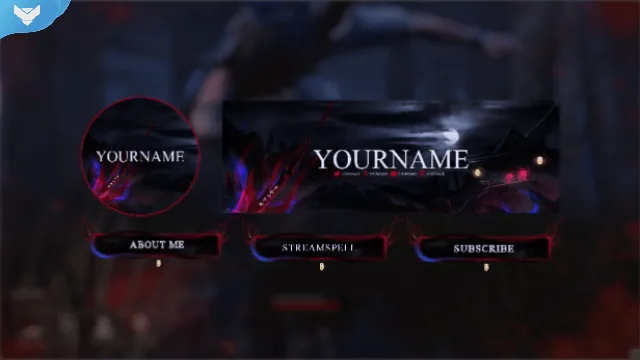
Profile Picture, Banners, Stream Panels
PSD Source Files, Fonts, Icons
Step-by-step setup included
Animated stream overlays for dark fantasy, anime, and blade-themed streams.
Moonlit overlays with red and blue energy bursts, inspired by Ionian warriors and spiritual battles.
One to cut, one to seal ⚔️
The Demon Hunter Stream Package is fully animated, easy to install, and 100% compatible with OBS Studio, Streamlabs Desktop, and StreamElements.
League of Legends
Demon Slayer
Wo Long: Fallen Dynasty
Nioh
Sekiro: Shadows Die Twice
Black Myth: Wukong
Setup Tutorials
YouTube Stream Package
4 Animated Screens: Starting, BRB, Ending, Just Chatting
1 Offline Screen
1 Live Now Screen
12 Animated Alerts with sound effects for Twitch, YouTube, and Facebook Gaming
Webcam Frames: 4:3, 9:16, 16:9
Modular Stream Labels Overlays with custom icons for each event
43 Stream Panels
Animated Stinger Transition
Social Media Headers: Twitch, Twitter, YouTube, Facebook
Social Media Profile Picture
Source Files (.PSD)
Font
Twitch
YouTube
Facebook Gaming
Trovo
Kick
OBS Studio
Streamlabs Desktop
StreamElements
Lightstream
XSplit
Join the hunt. Let the energy of the Ionian swordsman flow through your stream with the Demon Hunter Stream Package: your perfect setup for anime, action, and dark fantasy content.
Yes. StreamSpell stream packages are made for OBS Studio, Streamlabs Desktop, StreamElements, and other streaming apps that support custom media sources, overlays, alerts, and widgets.
The download includes the files and setup assets you need to add the package to your stream. Streamlabs users can use the included quick install file. Other apps can be set up manually by adding the included screens, overlays, alerts, widgets, and transition files.
You can easily change colors of any stream overlay by right clicking the overlay's source, clicking on Filters and then adding a Color Correction filter.
Yes. The stream assets are platform-friendly and can be used while streaming on Twitch, YouTube, Kick, Facebook, TikTok, Instagram, and other platforms, as long as your streaming app supports the included media and widget setup.
The package includes the stream assets listed in the “What’s Included” section, such as screens, overlays, alerts, widgets, transitions, setup files, and guides when available.